01
New
Nook on iPhone
Keep your lists, tasks, and notes with you. Plan your day with Today Scheduler, use Focus Mode, and choose your own skin.
"tbh the best to-do app is just sticky notes on the edge of your monitor."
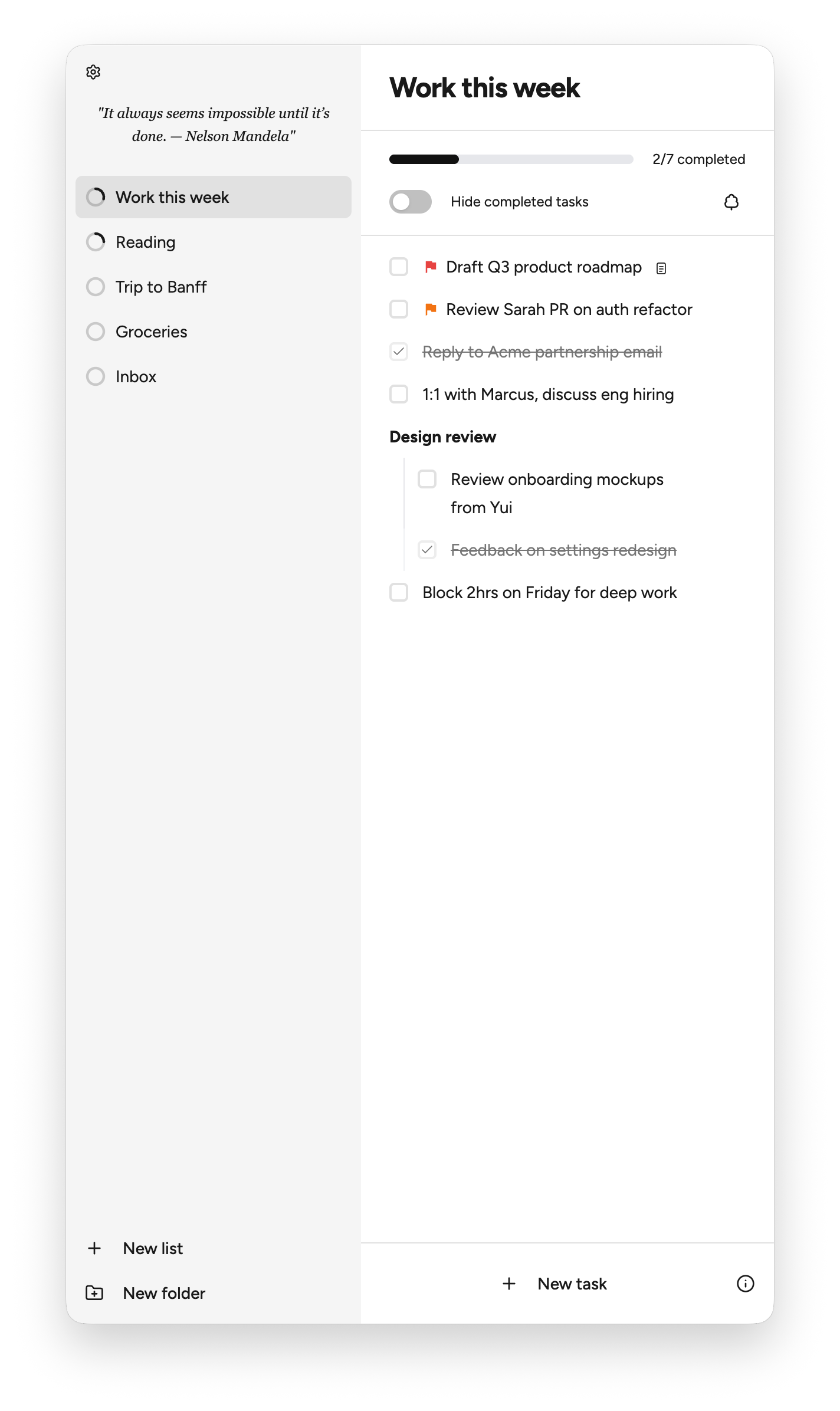
Move your cursor to the screen edge to open Nook. Capture the thought, then go back to work. Nook hides itself when you are done.
Create an item, indent it, and switch it into a task with keyboard shortcuts.
Add rich notes to tasks with links, lists, code, and formatting.
Put one item in multiple lists. Edit it once, and every connected copy stays in sync.
Plan your day on a timeline. Add a new block or bring in an existing task, then drag to adjust its time.
Keep your lists, tasks, and notes with you. Plan your day with Today Scheduler, use Focus Mode, and choose your own skin.
Keep your lists, tasks, and notes in sync between your computer and iPhone. Sign in with the same account and turn on Sync on each device.
There are already plenty of good task managers: Todoist, Things, Reminders, Notion, Linear, and many others.
Most of them ask you to switch into a system. Open an app, pick a project, clean up a list, and decide where everything belongs.
Nook is built for the moment before that. Capture the thought from the edge of your screen, then go back to work.
Nook is available for macOS and Windows. Nook on iPhone is awaiting App Store review.
Browse the skin collection to preview each combination and copy its foreground, background, and accent HEX codes.
Your data is stored on your device. If you enable Sync, a copy is also stored in the cloud to keep your devices up to date.
Not for local use. Sync requires an account, identified by your email address, so Nook can connect your data across devices.
When you use Nook locally, your data stays on your device and belongs to you. If you enable Sync, your data is also stored in the cloud, with HTTPS encryption during transfer. We do not read or sell your data.
No. We don’t believe in adding AI for AI’s sake. Nook currently has no AI features.